

- Custom Variable Widget
- Priority Matrix
- Heatmap Widget
- Grid Widget
- Weighted mean widget
- Comment List widget
- Widget Filters
- Ranking List Widget
- Distribution Chart
- NPS Widget
- Trend Widget
- Word Cloud Widget
- Cross tab widget
- KPI Comparison Widget
- Bubble chart
- Custom Metric Trend Chart
- Trend Comparison Widget

Managers Details
A Manager can refer to a Store Manager, Branch Manager, Regional Manager, or any other executive responsible for overseeing activities within a specific segment of your organization. A segment may have multiple managers assigned to it, or a single manager may oversee multiple segments. Managers do not have access to the main account. They can only view dashboards via the Dashboard Portal URL.
An Admin or Super Admin is a user with full access to the QuestionPro account. Admins can log in to the account, view detailed information about all managers, and access all associated data. They have complete control and visibility across the platform.
Yes, you can assign multiple managers to a segment. This can be done by using the "Supervise Manager" option on the Segments page or by importing managers through the Managers tab.
- Click on Admin >> Company Structure >> Segments >> Supervise Manager
- The pop up will show list of added managers. If no manager has been added, the pop up will be empty
- Enter the First Name, Last name and email address of the Manager
- Click on ‘Add’ to add the Manager
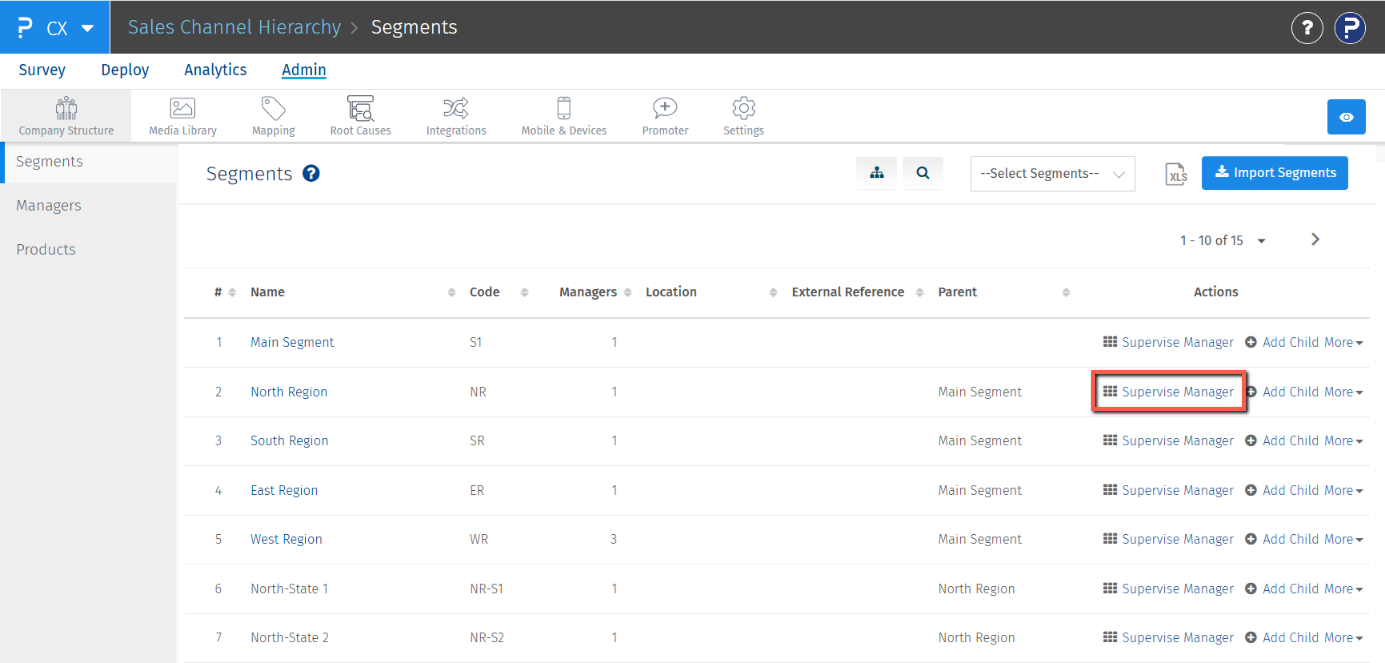
- Adding/Importing Segment
- Through Manager Tab - Manual Add and Excel Import
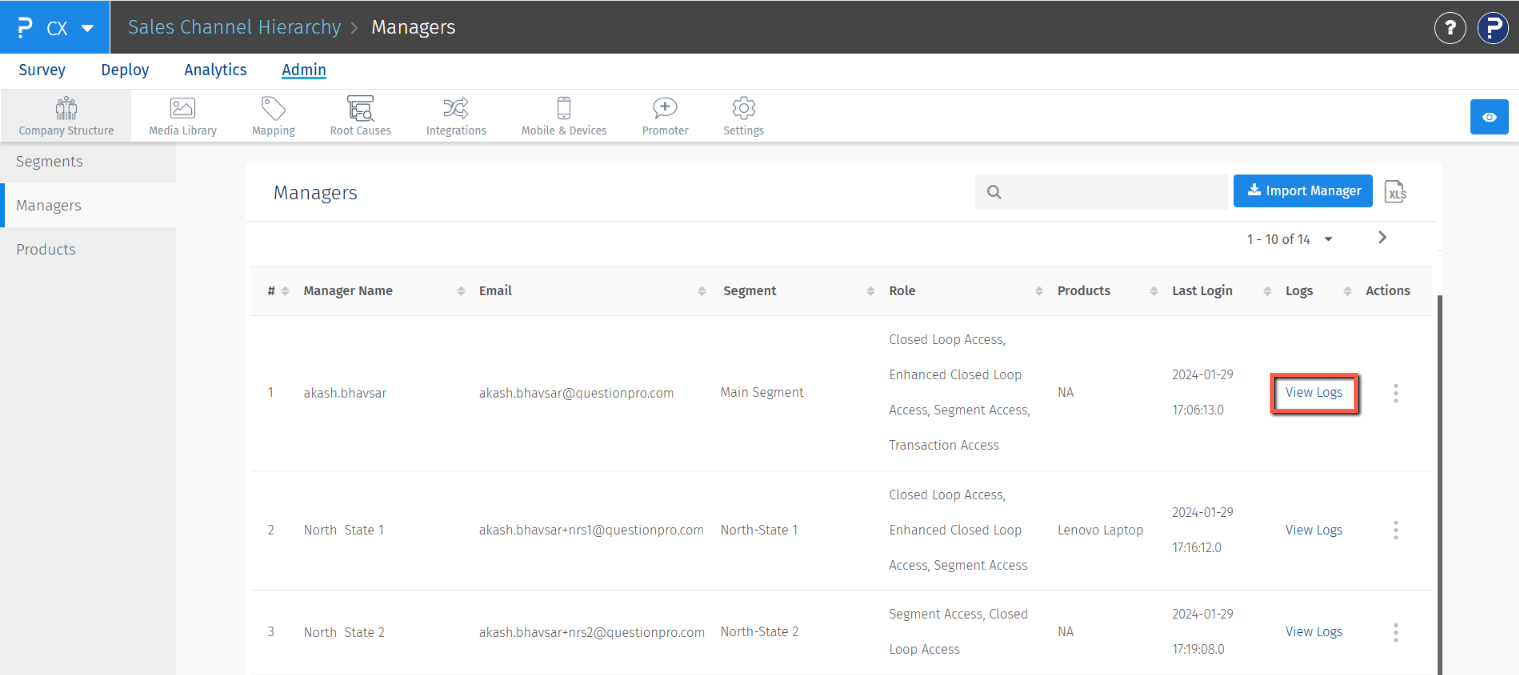
You can view manager activity logs using the View Logs option.
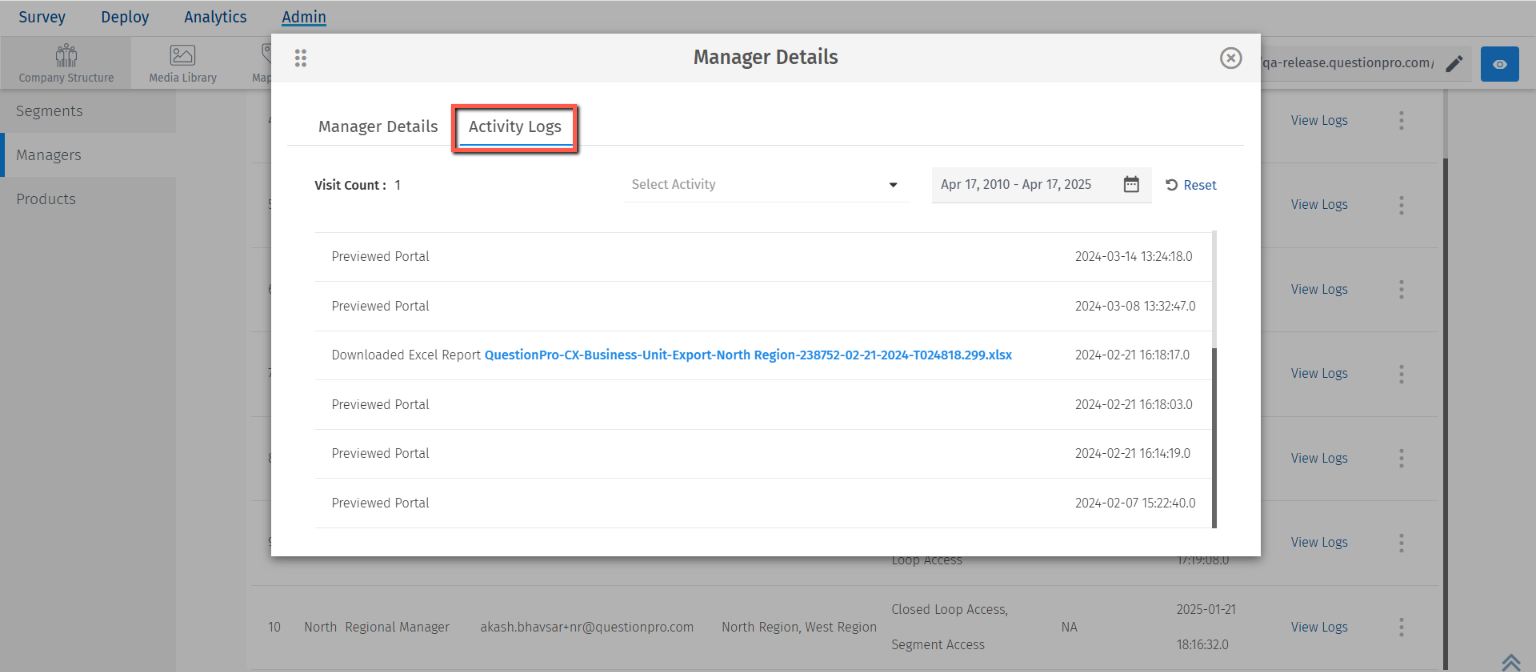
- Click on Admin >> Company Structure >> Managers >> View Logs >> Activity Logs
- A pop-up will display all activities performed by the selected manager within a specified time frame. Admin users can adjust the date range as needed. The pop-up also shows the total visit count, indicating how often the manager accessed the portal. Additionally, an activity filter allows Admin or Super Admin users to narrow down and view specific types of activities from the log.
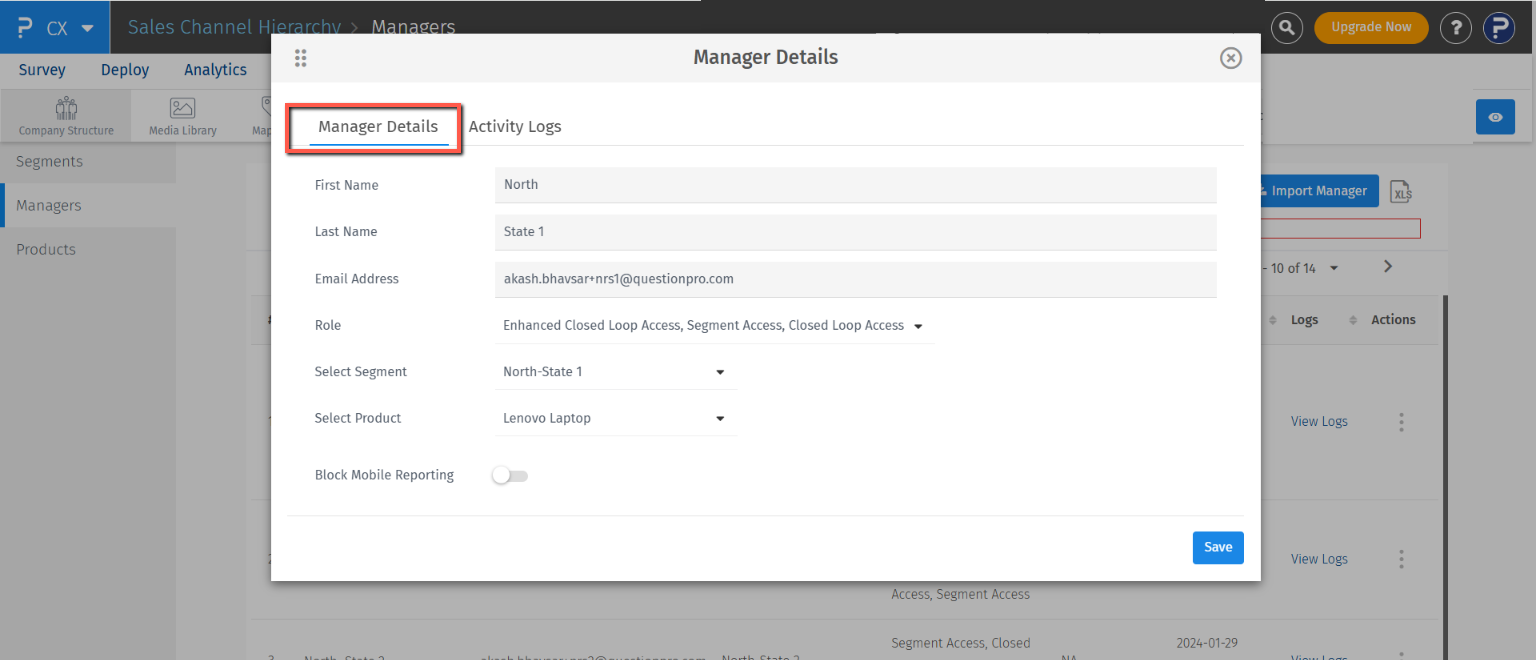
Managers can be edited through ‘Supervise Manager’ pop-up or through ‘Managers’ tab.
- Click on Admin >> Company Structure >> Managers >> Click on the 3 dots >> View Manager Details
- The pop up will show manager details. Make the changes to the desired fields and then click on the "Save" button to save your changes.
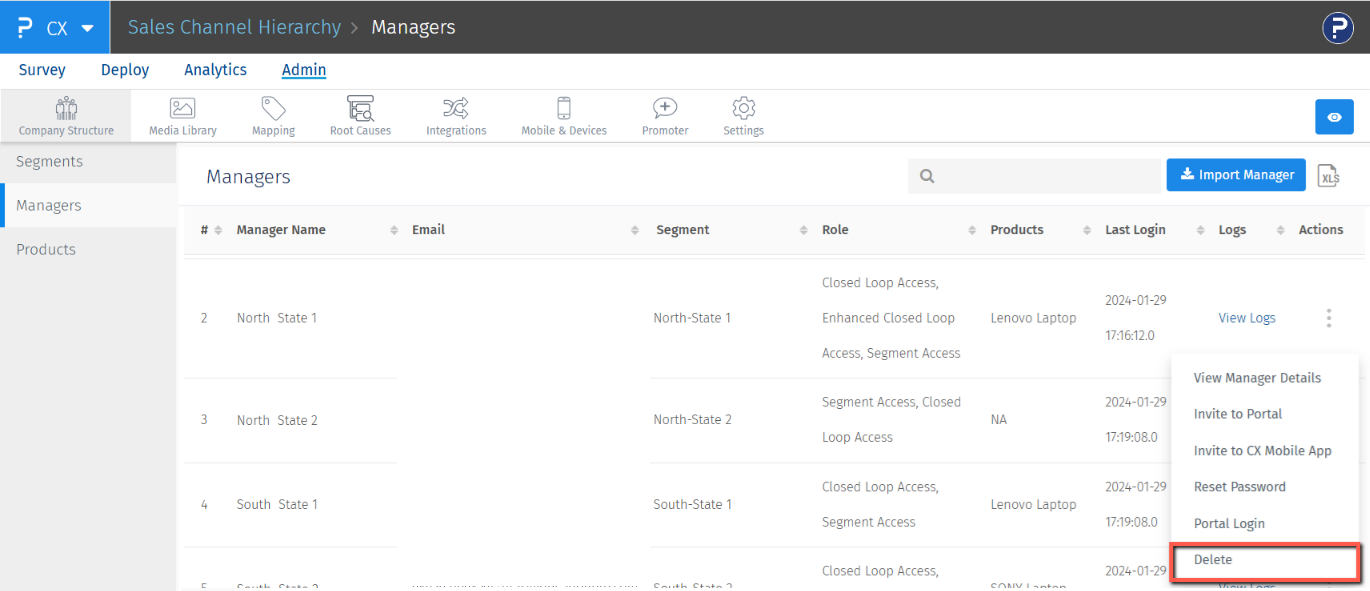
To delete a Manager, Go to Admin >> Company Structure >> Managers >> Click on the Actions menu and select the delete option.
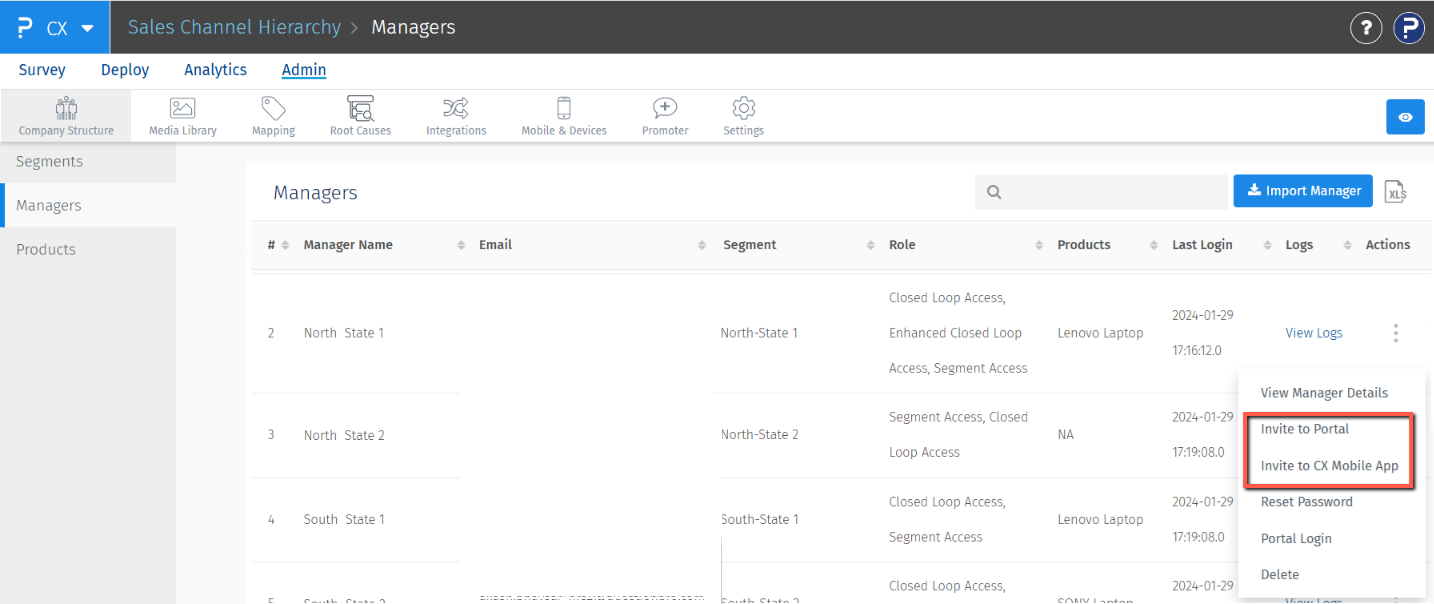
Managers can be invited to Portal or the CX App by the folllowing method
- Click on Admin >> Company Structure >> Managers >> Click on the 3 dots >> Invite to Portal or Invite to CX Mobile App
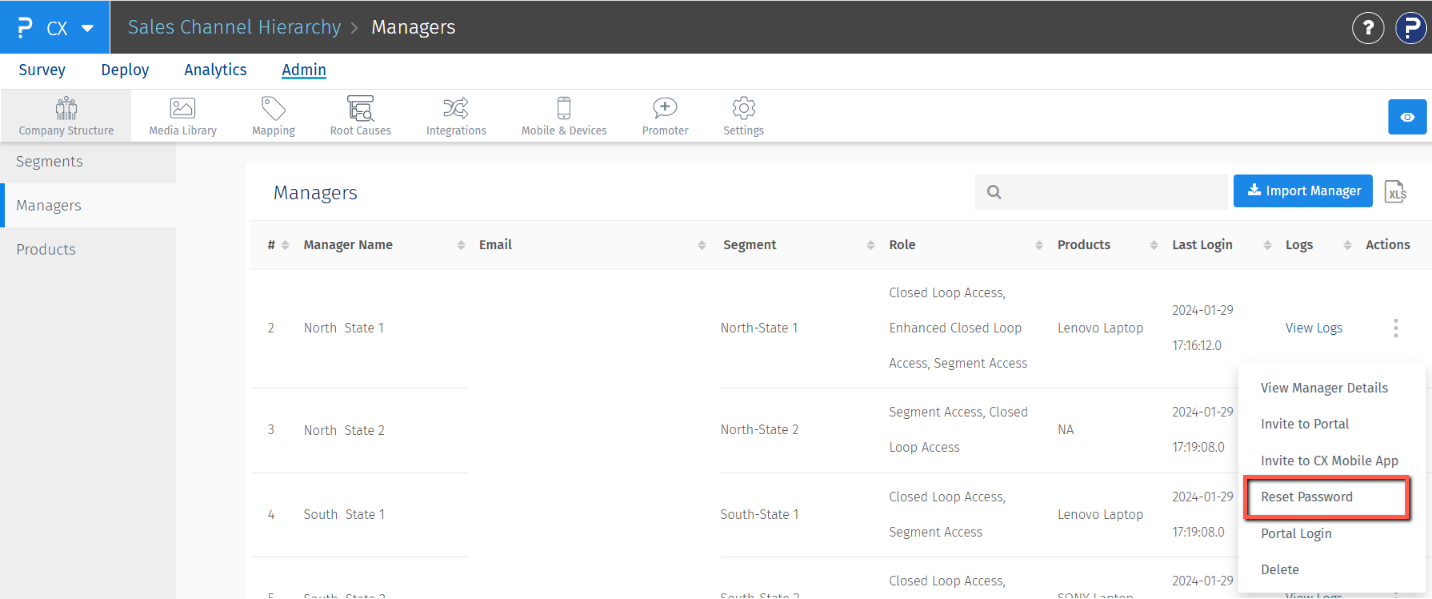
Managers will receive the email for resetting of the password
- Click on Admin >> Company Structure >> Managers >> Click on the 3 dots for the manager for which you want to reset the password >> Reset Password
No, there is no limit to add managers in the system. If names are present in the "transaction users" column while uploading transactions those many managers are automatically created in the system.
It is not mandatory to assign a product or product group to a manager.
