

- Custom Variable Widget
- Priority Matrix
- Heatmap Widget
- Grid Widget
- Weighted mean widget
- Comment List widget
- Widget Filters
- Ranking List Widget
- Distribution Chart
- NPS Widget
- Trend Widget
- Word Cloud Widget
- Cross tab widget
- KPI Comparison Widget
- Bubble chart
- Custom Metric Trend Chart
- Trend Comparison Widget

HTML Selector Targeting Rule
The HTML Selector Targeting Rule allows you to trigger Intercept surveys based on specific elements on your webpage using HTML selectors such as IDs or classes. This enables more precise, contextual, and behavior-driven survey delivery.
Traditional targeting rules like URL, time on page, or device type do not always capture moments tied to specific page elements. Many important user interactions such as viewing pricing, encountering an error message, or reaching a content block occur within specific HTML elements. Using the HTML Selector rule helps you trigger surveys exactly when these elements appear on page load, making surveys more relevant and improving response rates.
To add an HTML Selector rule:
- Navigate to Intercept » Rule Group
- Select HTML Selector from the rule dropdown
- Enter your HTML selector (e.g., #task, .product-title)
- Select an operand (Equals, Not Equals, Includes, Excludes, Exists)
- Enter a text value to compare
- Save the rule
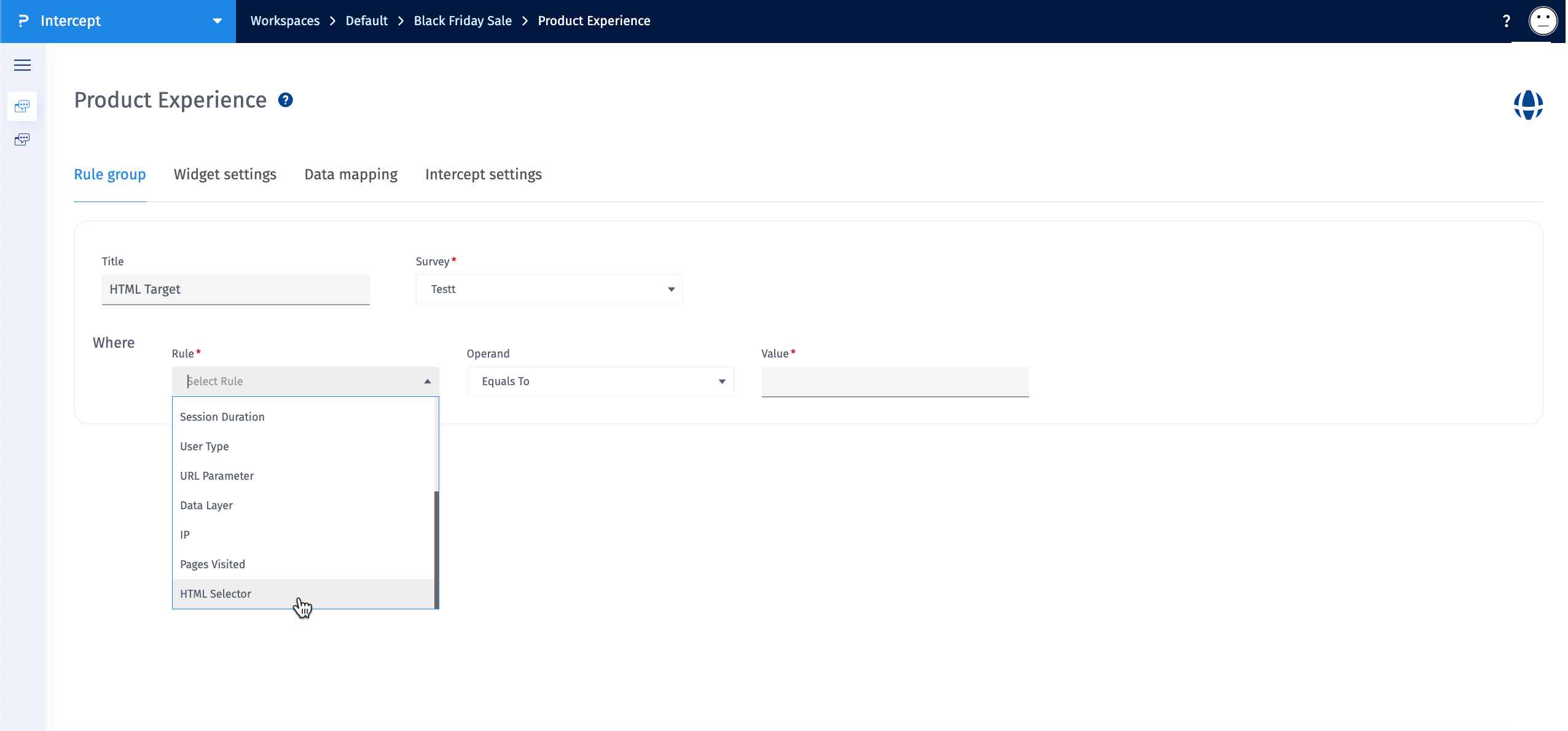
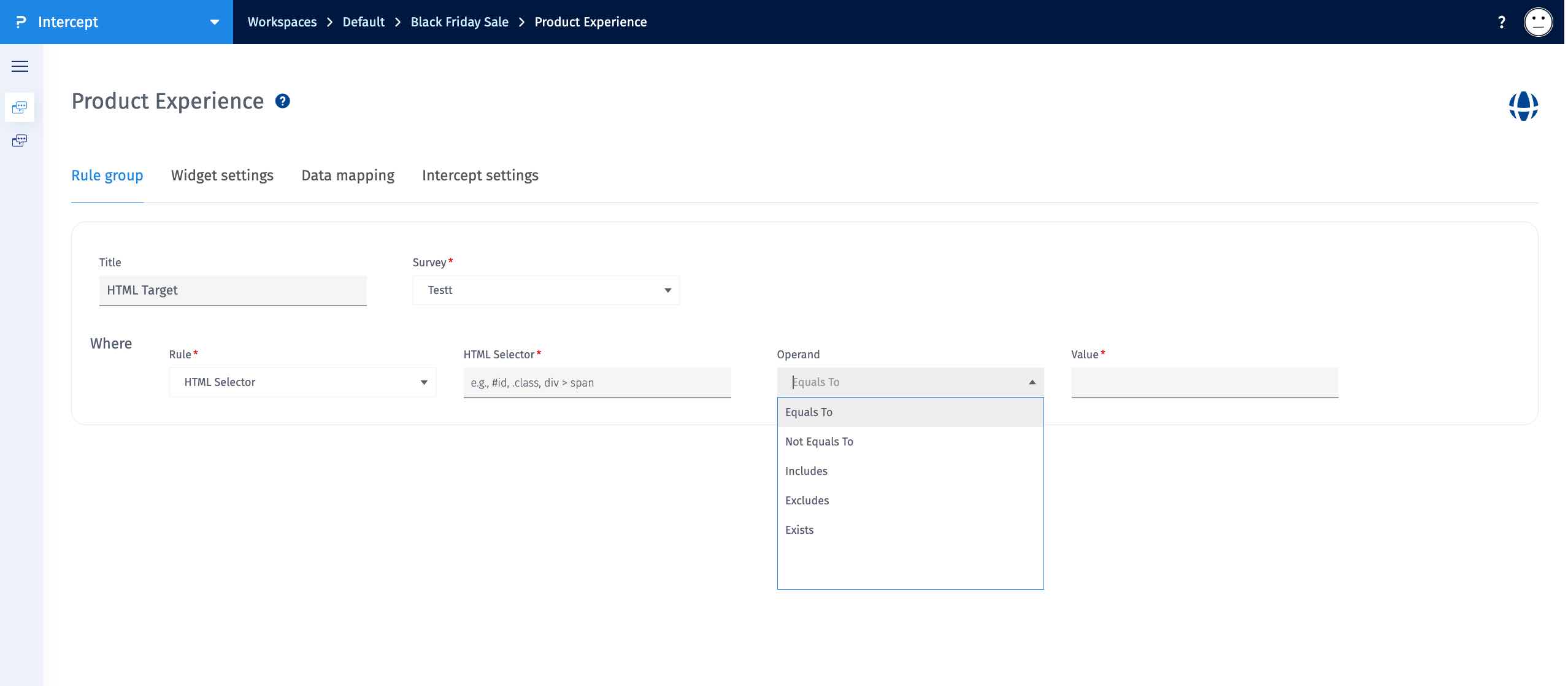
- Equals: Matches the element’s text exactly.
- Not Equals: Works when the element’s text does not exactly match the value.
- Includes: True if the element’s text contains the value (partial match).
- Excludes: True if the element’s text does not contain the value.
- Exists: Works when the element exists in the DOM. No value needed.
- First Match Priority: Only the first matching element in the DOM is evaluated.
- One-Time Scan on Page Load: The rule is checked once when the page loads. It does not re-check dynamically added or updated content.
- Plain Text Only: The targeted element must contain plain text only. Nested HTML elements are not supported.
- Supported Selectors: IDs (#task) and classes (.product-title) are supported.
The HTML Selector rule helps you target surveys at precise moments tied to specific on-page content. Some common scenarios include:
- Triggering a survey when a user reaches a Pricing section identified by a unique ID.
- Showing a survey on specific product pages by detecting product title or detail elements via class selectors.
- Displaying a survey when an error message or alert banner appears, allowing real-time feedback after user friction.
- Triggering feedback when a promotional or feature section loads, helping measure responses to new content.
