

- Add widgets
- Survey Comparison
- Heatmap
- Confidentiality Settings
- eNPS in Workforce Analytics Portal
- Notes Widget
- Text Analysis Widget
- Response rate
- Text Report
- Trend analysis widget
- Show/hide Markers and Building blocks
- Question Filter
- Single Question Widget
- Heatmap default
- Sentiment analysis
- Scorecard
- Driver analysis
- Scorecard: All options view
- Heatmap Column Types
- Multiple Tabs in a Dashboard
- 360 feedback introductory text
- 360 feedback display configurations
- 360 feedback display labels
- Multi Level Priority Logic
- 360 Surveys- Priority Model
- 360 feedback - skip logic
- 360 feedback - show hide question logic
- 360 Survey Settings
- 360 feedback configuration
- Customize the validation text
- 360 Survey design
- 360-Reorder section
- 360 Section Type - Single Select Section
- 360 Delete Sections
- 360 Add Sections
- 360 section type - Free responses text section
- 360 Section Type - Presentations text section
- 360 Section-Edit Configurations
- 360 Survey- Languages
- Matrix section

Create New Dashboard
Dashboards in the EX portal allow you to visualize, track, and analyze your employee engagement and experience data in real time. With the updated multi-tab layout functionality, you can seamlessly organize extensive datasets across separate tabs within a single dashboard interface. This allows for clean data segregation, customized filtering, and specialized widget setups tailored to different business units or tracking metrics.
Watch this quick walkthrough to understand how it works:
Click to download video
How do I create a dashboard and manage multiple tabs?
To create a new dashboard and configure its tabs, log in to QuestionPro Employee Experience and follow these steps:
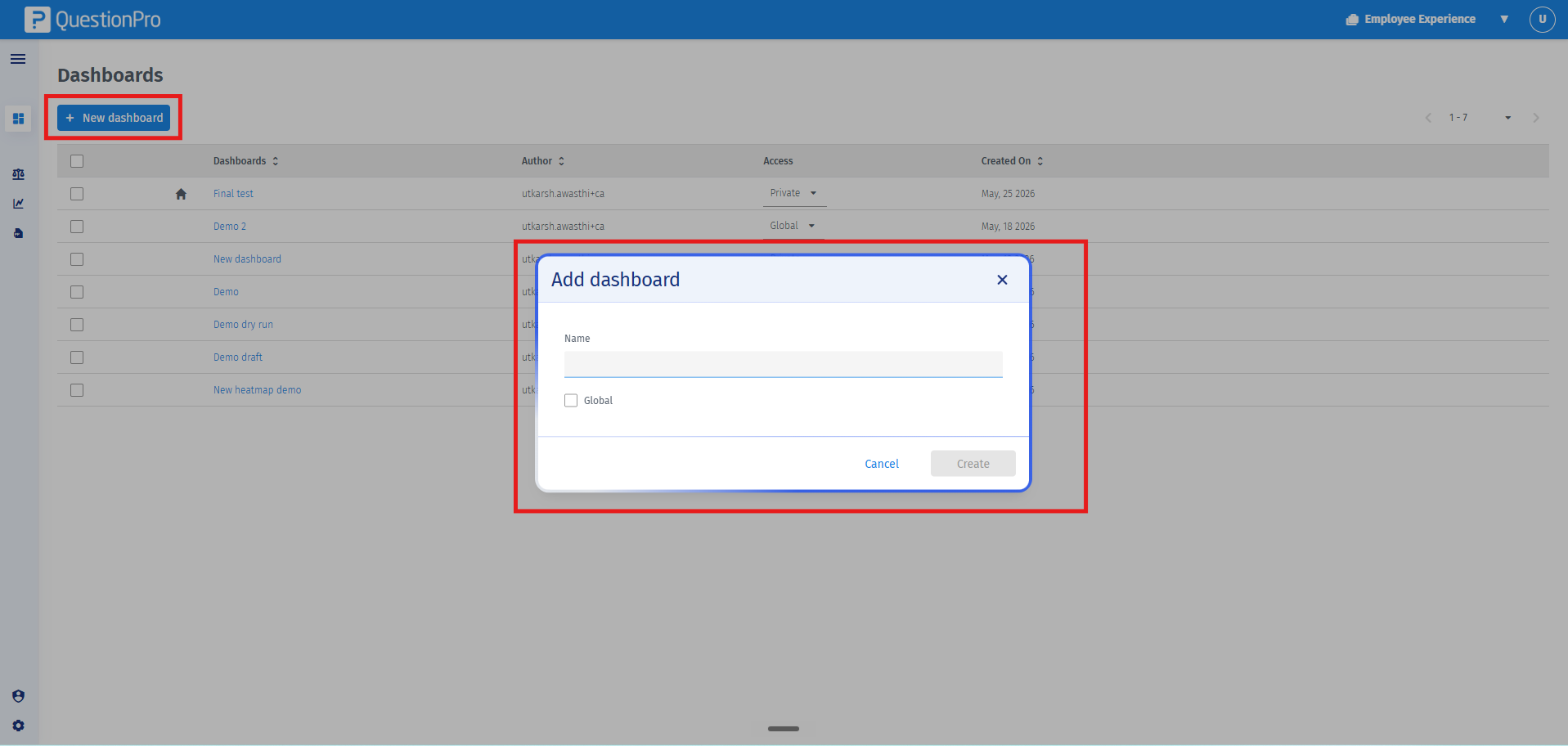
- Navigate to Access Portal inside the employee list page. By clicking this, you will land on the Dashboards page in the Employee Experience portal which shows the list of all the created and shared dashboards. Click on Create New Dashboard.
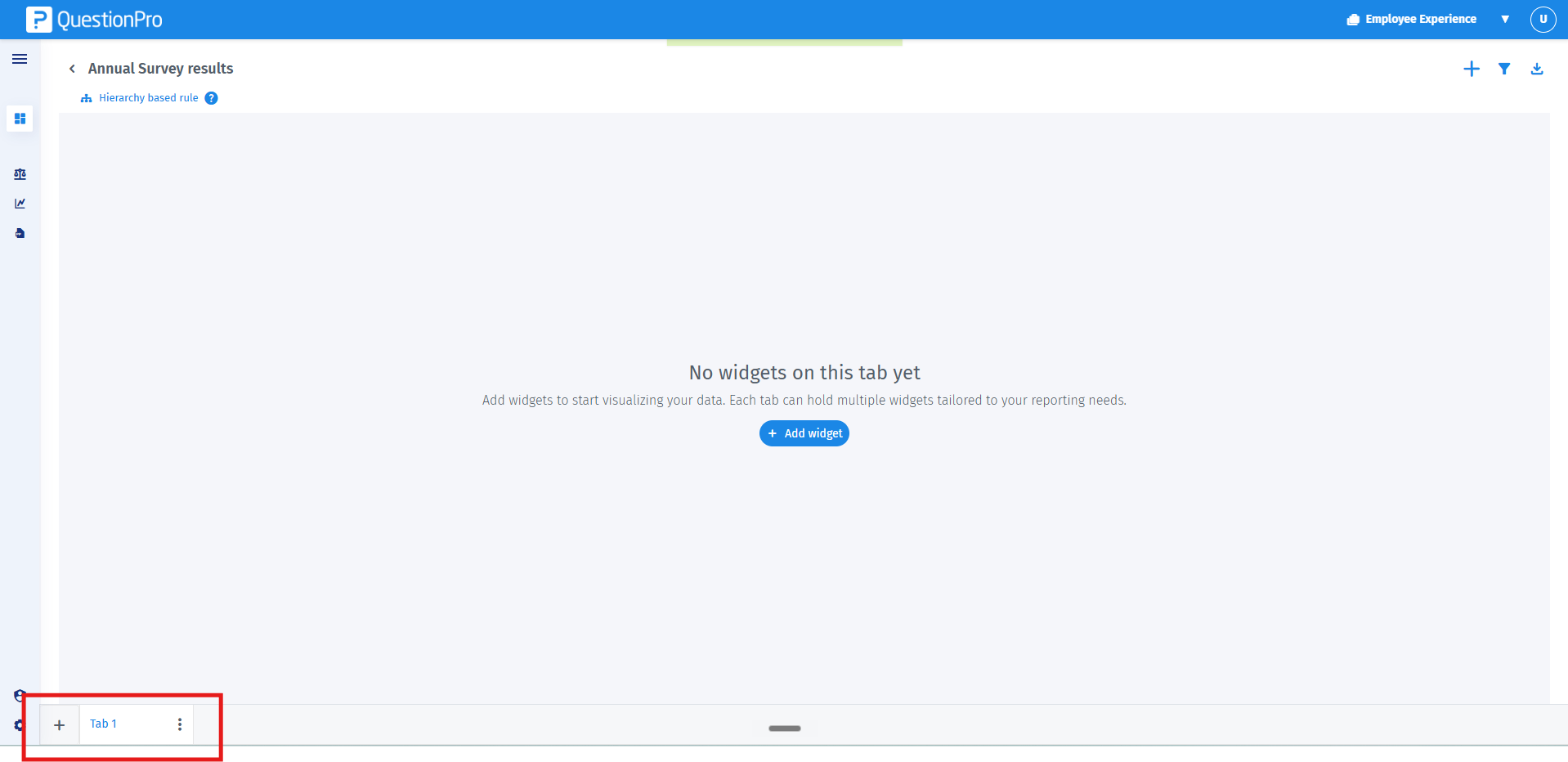
- Provide a title for your dashboard in the setup configuration window, then click Create. By default, your newly created dashboard will generate with a single tab labeled Tab 1.
- To add more tabs to your dashboard, click on the + (Add Tab) icon next to the existing tab. You can add up to a maximum of 15 tabs within a single dashboard.
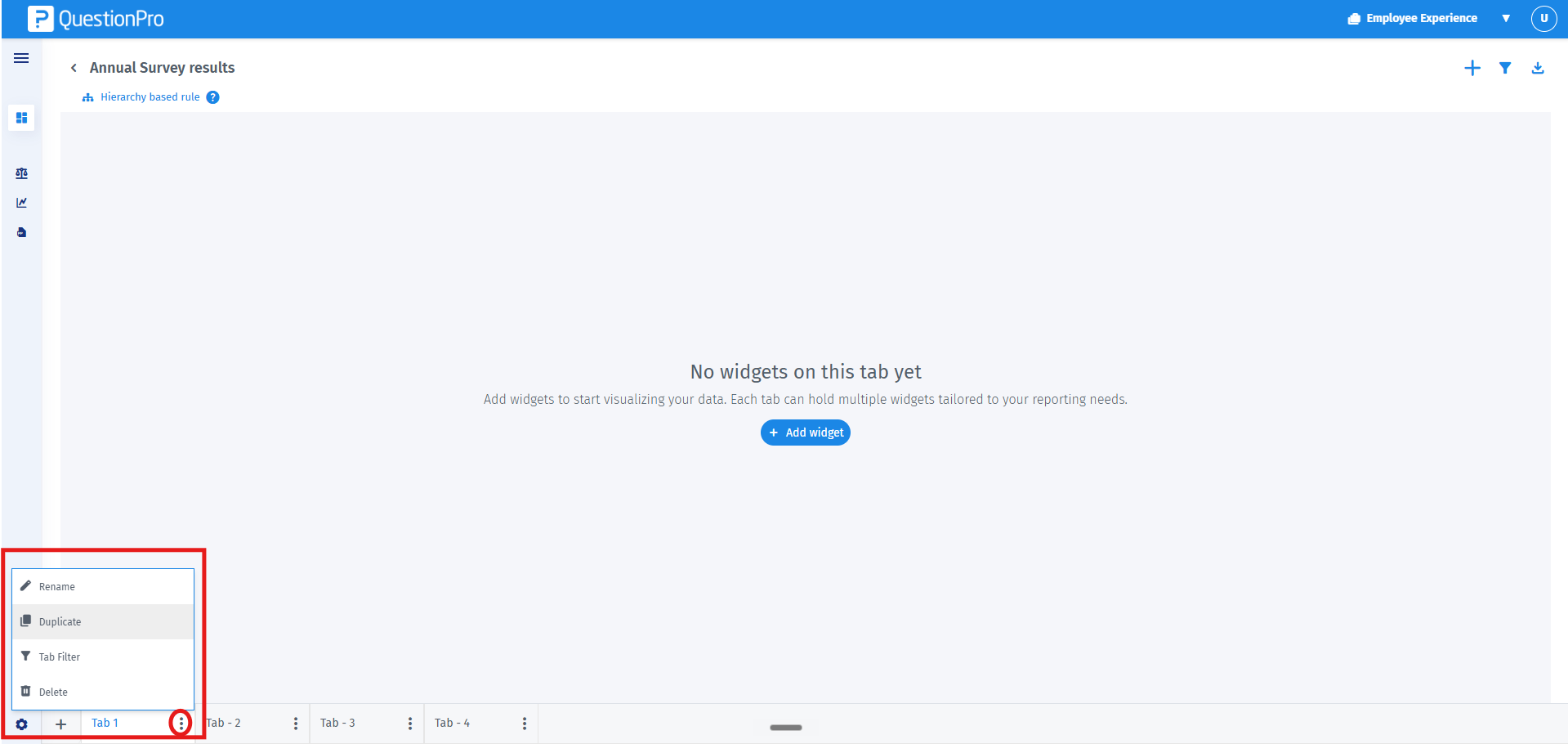
- To manage your tabs, click on the action menu (three dots) next to the tab name. From the drop-down options, you can choose to Rename, Duplicate, Reorder, or Delete the tab.
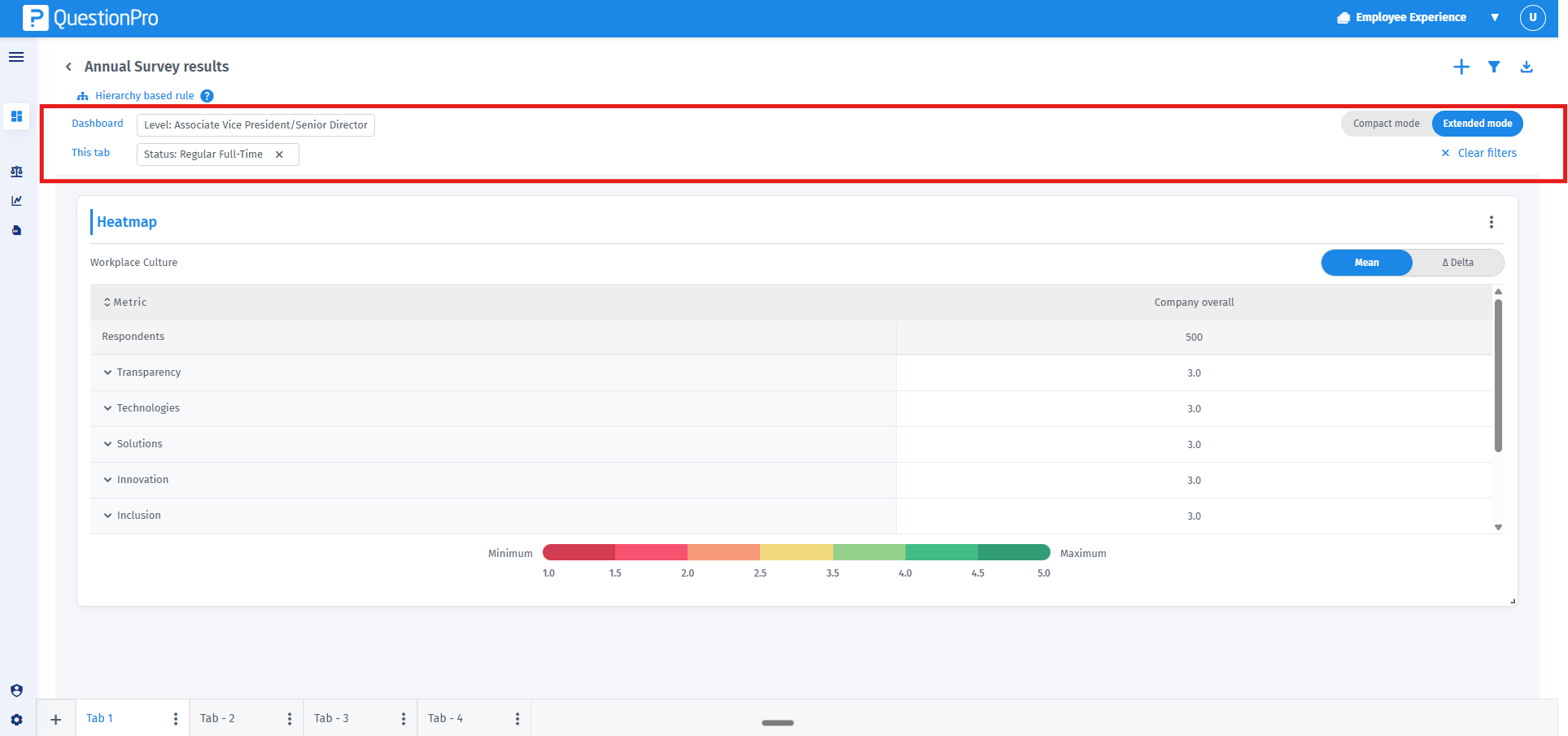
- Configure your data segmentation using dual-level filtering:
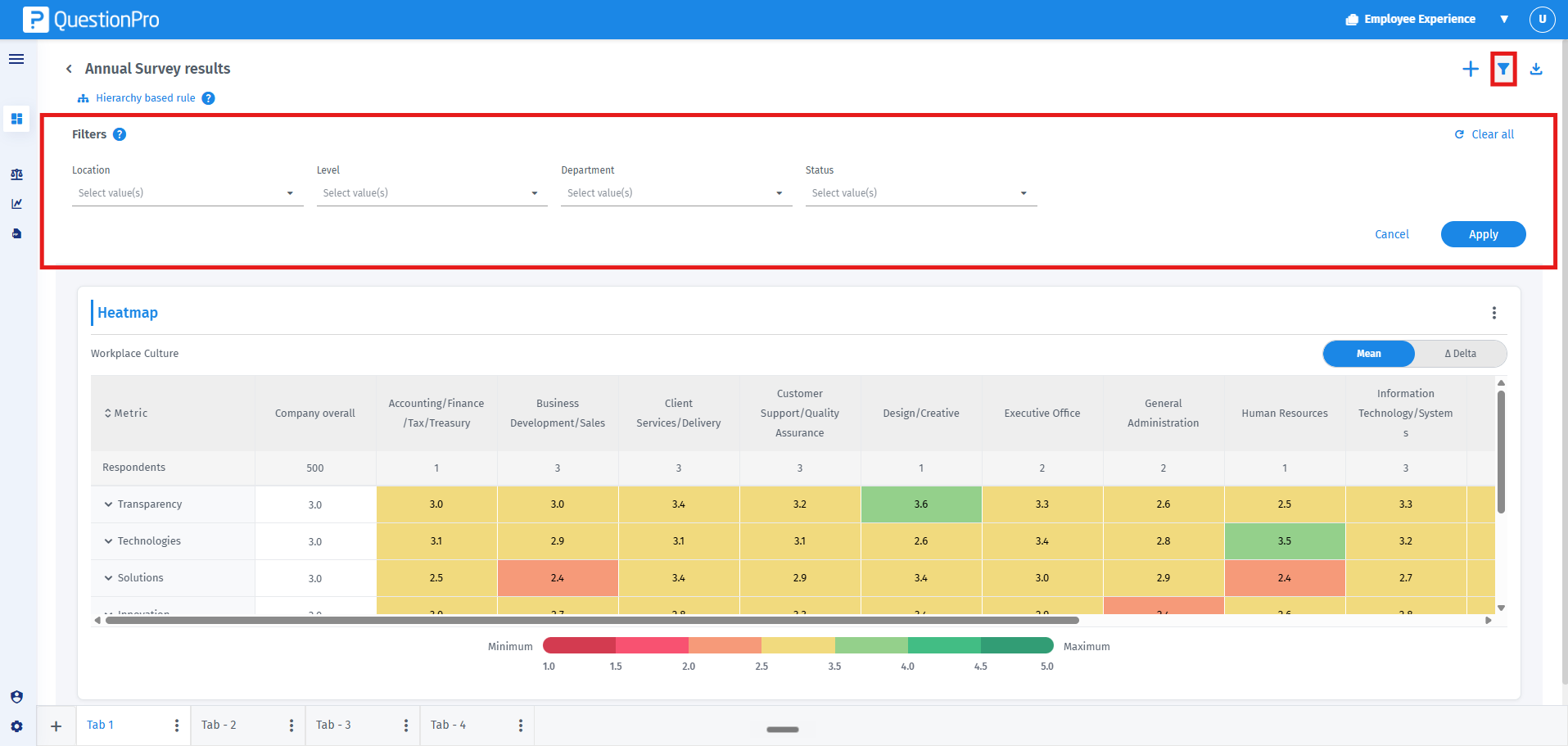
1. Dashboard-level filters: Located at the top global header, these filters apply data restrictions across all 15 tabs simultaneously.
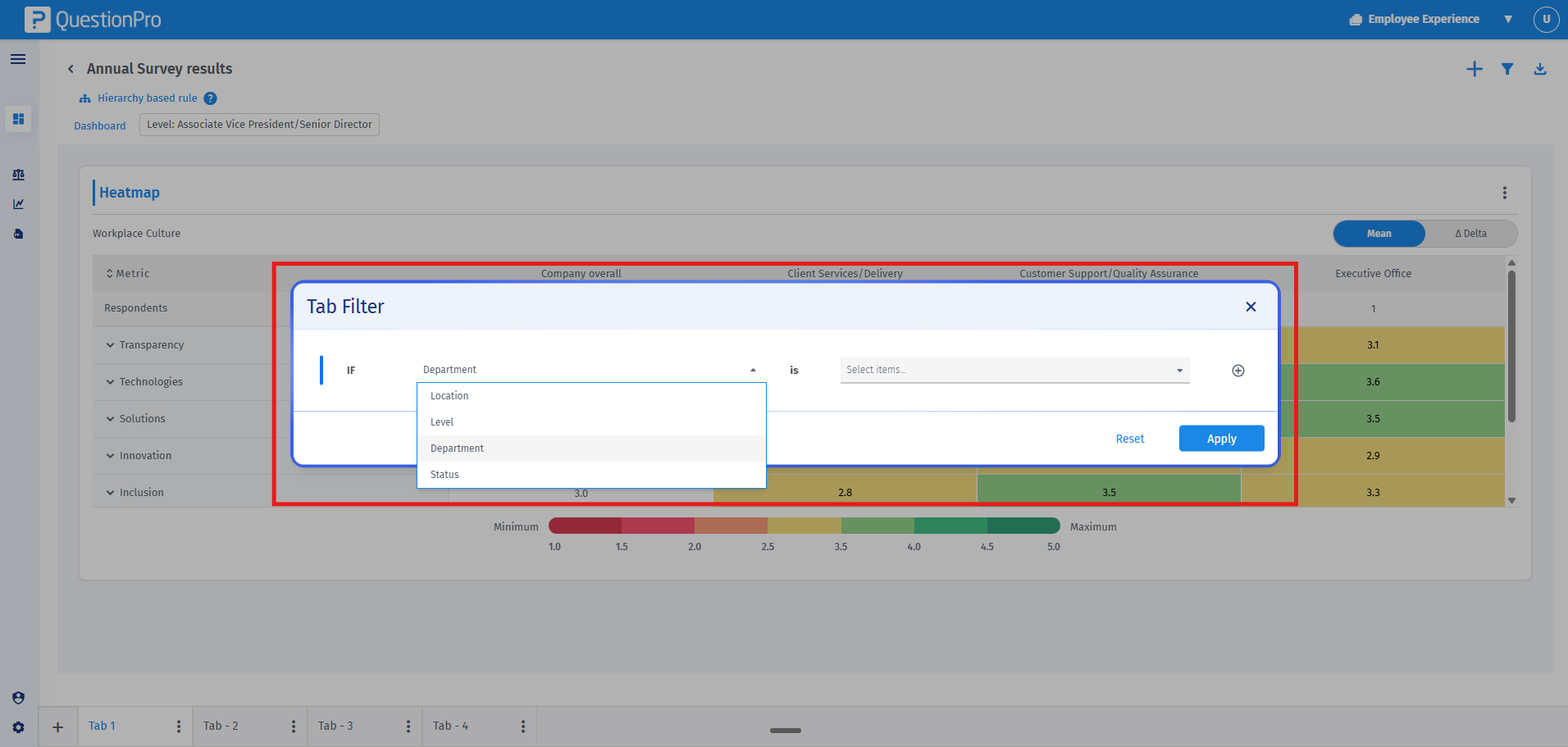
 2. Tab-level filters: Located within the specific tab's kebab menu, these filters restrict data exclusively for the active tab's widgets.
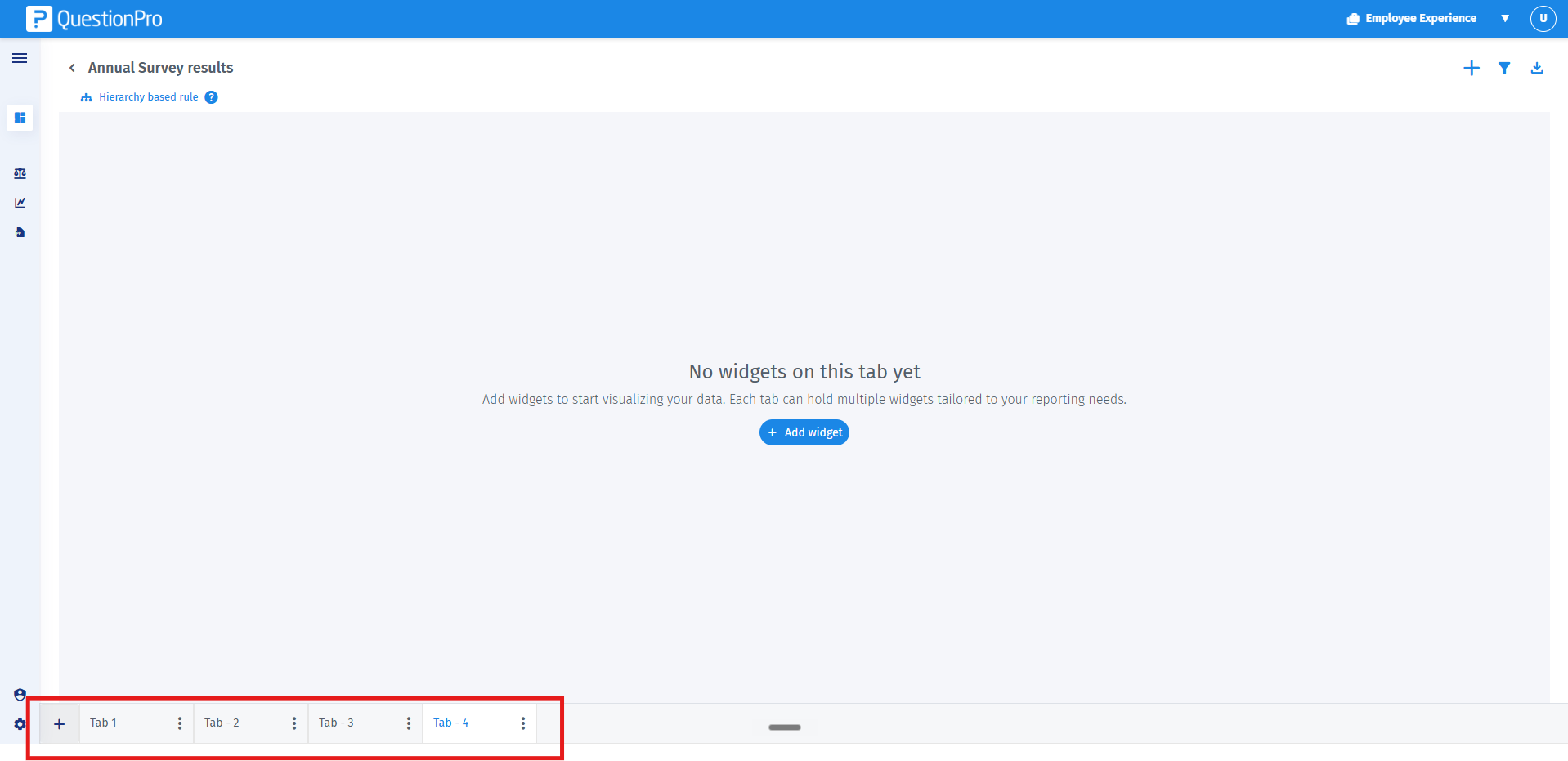
Important Note: Each tab functions as an independent canvas. You can configure an entirely unique set of widgets for each individual tab without impacting the visual layout of the other tabs.
 2. Tab-level filters: Located within the specific tab's kebab menu, these filters restrict data exclusively for the active tab's widgets.
You may also be interested in...
